

Launching Scheduled Deep Research Agents
Deep Research Agents now run without you triggering them manually. Set one to sweep your watchlist every weekday at 7:00 AM, or to run the moment a company you cover releases earnings. The report is written and in your inbox before you open the transcript.
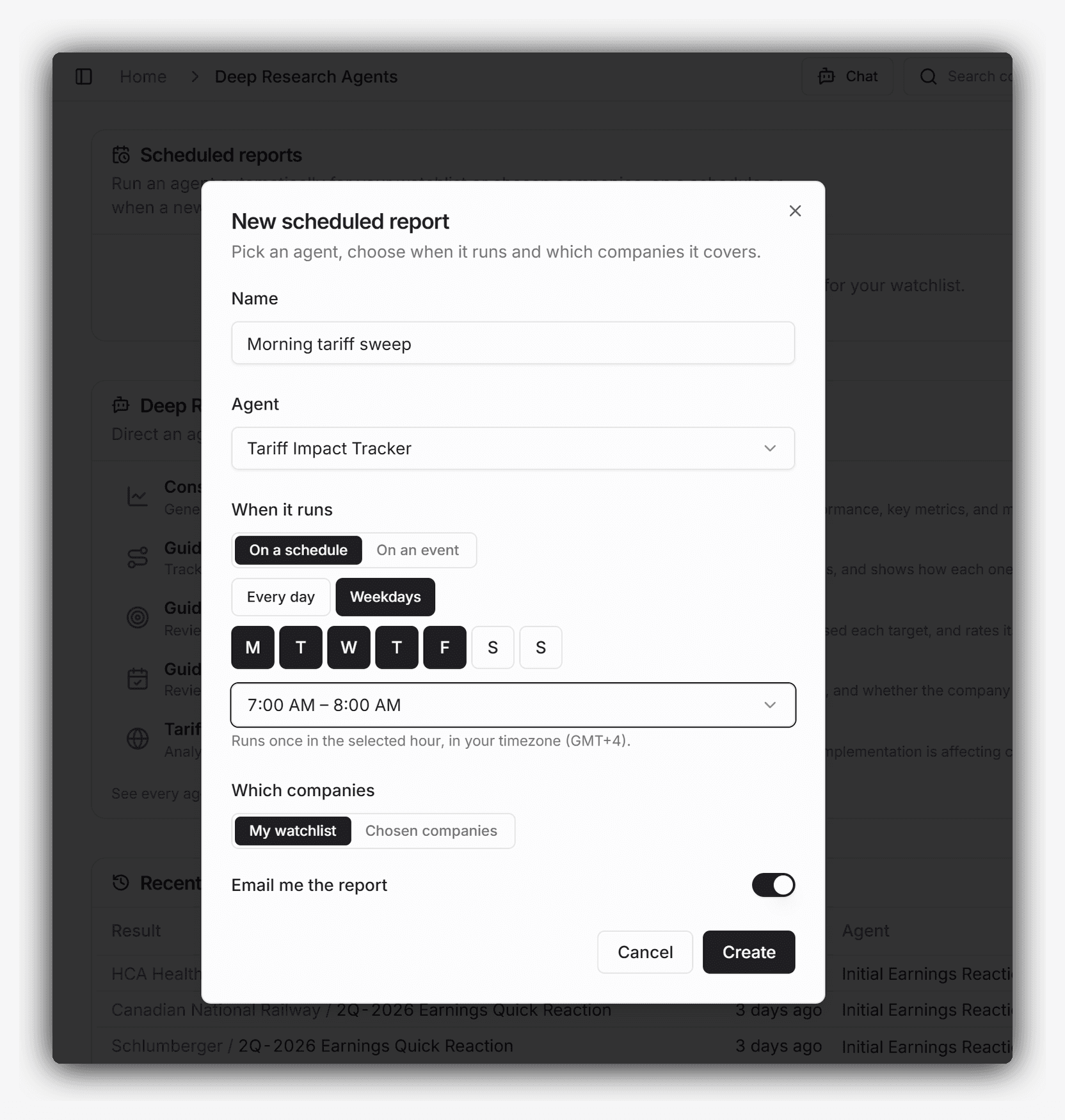
Setup lives at the top of the redesigned Deep Research Agents hub. Name the report, pick the agent, choose when it runs and which companies it covers.
Available triggers
On a schedule
Pick the days and the hour, with presets for every day and weekdays. The run happens once inside that hour, in your own timezone.
A scheduled report checks for new material before it runs, so a company with nothing new since the last run is skipped rather than written up again.
On a new document
Event-triggered reports run when a company in scope publishes. Four document events are available, and you can select any combination:
- New filing
- Earnings press release
- Earnings call transcript
- Earnings filing, meaning the 10-Q, 10-K, or the local equivalent
Each of these is ingested and normalized within seconds of publication, so the report starts from the document itself. The transcript trigger fires within minutes of the call ending.
Which companies each report covers
Each report covers either your watchlist or a list of companies you name. Watchlist reports read the watchlist as they run, so a company you add to coverage is picked up automatically.
Schedule-based reports cover every company in scope, minus the ones with nothing new to read. Event-based reports run only for the company that published, so a report pointed at the full watchlist stays quiet until a document actually lands. When four names report inside the same hour, each one triggers its own report.
Where the reports land
Scheduled output lands in your recent runs on the hub, next to the ones you started yourself.
Email delivery is on by default: the company and ticker in the subject line, a short teaser, and a link through to the full report with its citations and in-context highlights intact. Reports can be paused, edited, or deleted at any time, and pausing keeps the setup.
Plans and credits
Schedule-based and event-based reports are available on the Standard and Pro plans. The free Evaluation plan remains manual trigger only.
Automatic runs are billed exactly as manual ones are: Marvin AI Credits charged on actual usage, drawn from the same balance as AI Analyst Chat. There is no separate allowance for automatic runs.
Where to start
We are just hitting peak earnings season, so this is the setup we would run first.
Quick Start
Consolidated Earnings Summary, triggered on the earnings call transcript, across your watchlist.
The transcript lands within minutes of the call ending, and the agent starts there. It reads the release and the call together and returns a single note: financial performance and key metrics, the facts that are genuinely new rather than restated, and the guidance management gave or revised. For the names that report while you are asleep, that note is waiting instead of the raw transcript.
Open the Deep Research Agents hub and choose New report.
Common questions
Try it on your coverage
Try Chat and research agents with 1,500 AI credits on the evaluation companies. Create a free evaluation account, with no sales call.
Discuss your coverage and workflow with the founder in a 30-minute call.

Alex is the co-founder and CEO of Marvin Labs. Prior to that, he spent five years in credit structuring and investments at Credit Suisse. He also spent six years as co-founder and CTO at TNX Logistics, which exited via a trade sale. In addition, Alex spent three years in special-situation investments at SIG-i Capital.


